The Visual display allows you to view a document’s content in the original layout while translating or reviewing it. For this purpose, not only the source files are imported into translate5 when the project is created, but also a graphically designed version of the source files or a URL list. The following formats are accepted for the WYSIWYG version of the content:
- A text file called “reviewHtml.txt” which contains one or more URLs (one URL per line, without further information). The order of the URLs should correspond to the order of the associated source files.
- One or more PDF or HTML files containing the same text as the source files. The order of the PDF/HTML files should correspond to that of the associated source files. It is not necessary to provide a PDF/HTML file for each source file.
- One or more XML and XSL files. These are converted into HTML files, which then form the basis for the Visual view.
- Pixel-based images (e.g. screenshots of apps for app translation)
- Videos (e.g. for the translation of subtitles).
| The Visual plug-in needs to be installed in order to use this function. |
|---|---|
| Please make sure that the file names only contain ASCII characters (without umlauts, accents, etc.). |
| If several Visual files are uploaded, they are merged during import. |
| See ZIP import package format or ZIP import packages: Examples for more information on how to best prepare projects with Visual display. |
| Please note that the target layout of the Visual display is always only a (usually very good) preview and cannot claim to be a perfect target layout. |


Overview
The visual view is composed of the following elements:
Visual view of source, pivot and target file or target file only

Control buttons for the source/pivot Visual file
| Zooms in on the display of the source file. |
|---|---|
| Zooms out on the display of the source file. |
| Activates/deactivates display of the source file (light: enabled; dark: disabled). |
| Switches between displaying the Visual file of the source or pivot language. |


 Control buttons for the review process
| Leaves the editor and switches to the task view. |
|---|---|
 | Switches between the “normal” and the “simplified” editor view. |
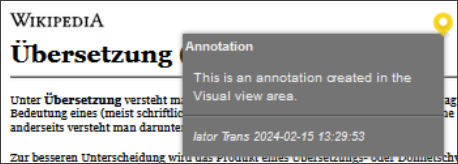
  | With this button, you activate the annotation/comments mode. |
  | Expands or collapses annotation texts.
|
| Hides/shows the annotation marks in the Visual view.
|



Control buttons for the target Visual file
| Zooms in on the display of the target file. | ||||||
|---|---|---|---|---|---|---|---|
| Zooms out on the display of the target file. | ||||||
active
inactive | Controls the colour highlighting of the match rate of the corresponding segment. The match rate either refers to matches with the translation memory used for pre-translation during import or, in the case of machine translation and when using the ModelFront plug-in, indicates the risk assessment of the machine pre-translation, which comes close to a calculated quality assessment. This quality assessment is in turn converted into a match rate, which is used here. All segments pre-translated with one of the language resources that have a match rate for which a colour range is defined are coloured. However, as soon as such segments are edited and changed, the colouring disappears (even if a match is directly taken over).
|


