This feature is part of the |
With MQM-based Translation Quality Estimation (TQE), the AI does not simply give each segment a score. It marks every translation error it finds as an MQM tag directly in the segment, and translate5 calculates the score from these tags. You see exactly why a segment got its score, reviewers can correct the AI's findings, and you decide how much each type of error costs.
TQE can run in two modes:
Classic mode | MQM mode | |
|---|---|---|
Who decides the score | The AI returns a score per segment. | translate5 calculates the score from the MQM tags the AI placed. |
What you see | A score and a free-text reasoning per segment. | A score, one MQM tag per error in the segment, and per error a suggested correction and the reason. |
Can it be corrected? | No, the score is the AI's opinion. | Yes. Delete wrong tags, add missing ones, change the severity or mark an error as false positive, then recalculate the score. |
Can you control the costs of errors? | No. | Yes, with the MQM scorecard (see below). |
TQE: mode (runtimeOptions.plugins.OpenAI.tqeMode) to mqm, for the whole system or for single clients.Manual QA (inside segment) (runtimeOptions.autoQA.enableMqmTags) is active. Without it, a task has no MQM issue types, and TQE automatically uses classic mode for this task.Use as TQE by default in the language resource, or the column TQE by default in the client's language resource assignment.The mode and the scorecard are fixed for a task when the task is imported. Changing them later only affects tasks imported afterwards. |
TQE language resources to assign the AI resource and to start or recalculate TQE, and the tab TQE analysis for the overall score of the task.TQE language resources.Quality estimation (the score) and Quality estimation reasoning (the details per error). Both columns can be hidden; show them with the column menu of the segment grid.MQM issue types & scorecard XML, and the TQE options in the group TQE.When the client has a TQE default resource, it is assigned to every new task of that client.
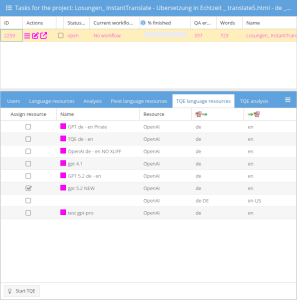
TQE language resources shows the default resource already ticked. TQE runs when you click Import (use defaults), or when you finish the wizard on the TQE card with a resource ticked. If you leave the wizard on an earlier card with Import (skip next steps), TQE does not run, like all other default steps.TQE language resources.Assign resource for the AI resource you want to use.Start TQE.Yes. The AI marks all errors again and replaces ALL existing MQM tags of the task, including manually added or corrected ones.TQE analysis shows the score of the task and the editor shows the new MQM tags.
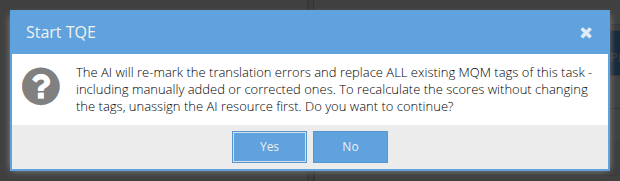
Starting TQE with an AI resource assigned always deletes all MQM tags of the task first, also the ones your reviewers added or corrected. To update the scores after a review, use the recalculation described below. |
After reviewers corrected the MQM tags, update the scores without calling the AI again:
TQE language resources.Assign resource for the AI resource. The button now reads Re-calculate TQE score.Re-calculate TQE score.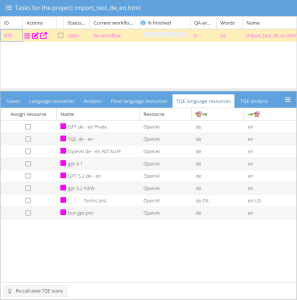
If TQE: segment check (runtimeOptions.plugins.OpenAI.qualityScoreSegmentCheck) is active, single segments don't need this step: the score of a segment is recalculated from its MQM tags every time the segment is saved. The AI is not called.
TQE can also start automatically at a workflow event, for example when the import is completed or when a workflow step is finished. The action ships inactive; activate it per installation by adding a workflow action row, choosing the workflow and the trigger. With an AI resource assigned, a full TQE run is queued; without a resource, the scores are only recalculated from the current MQM tags.
INSERT INTO `LEK_workflow_action`
    (`workflow`, `trigger`, `inStep`, `byRole`, `userState`, `actionClass`, `action`, `parameters`, `position`)
VALUES
    ('default', 'handleImportCompleted', null, null, null,
     '\\MittagQI\\Translate5\\Plugins\\OpenAI\\Workflow\\Actions\\QueueTqeAction', 'queueTqe', null, 0);
|
Other useful triggers: handleAllFinishOfARole with inStep and byRole (a workflow step is completely finished) and handleSetNextStep with inStep (a step is entered). Repeat the row for every workflow that should use it. To deactivate, delete the row.
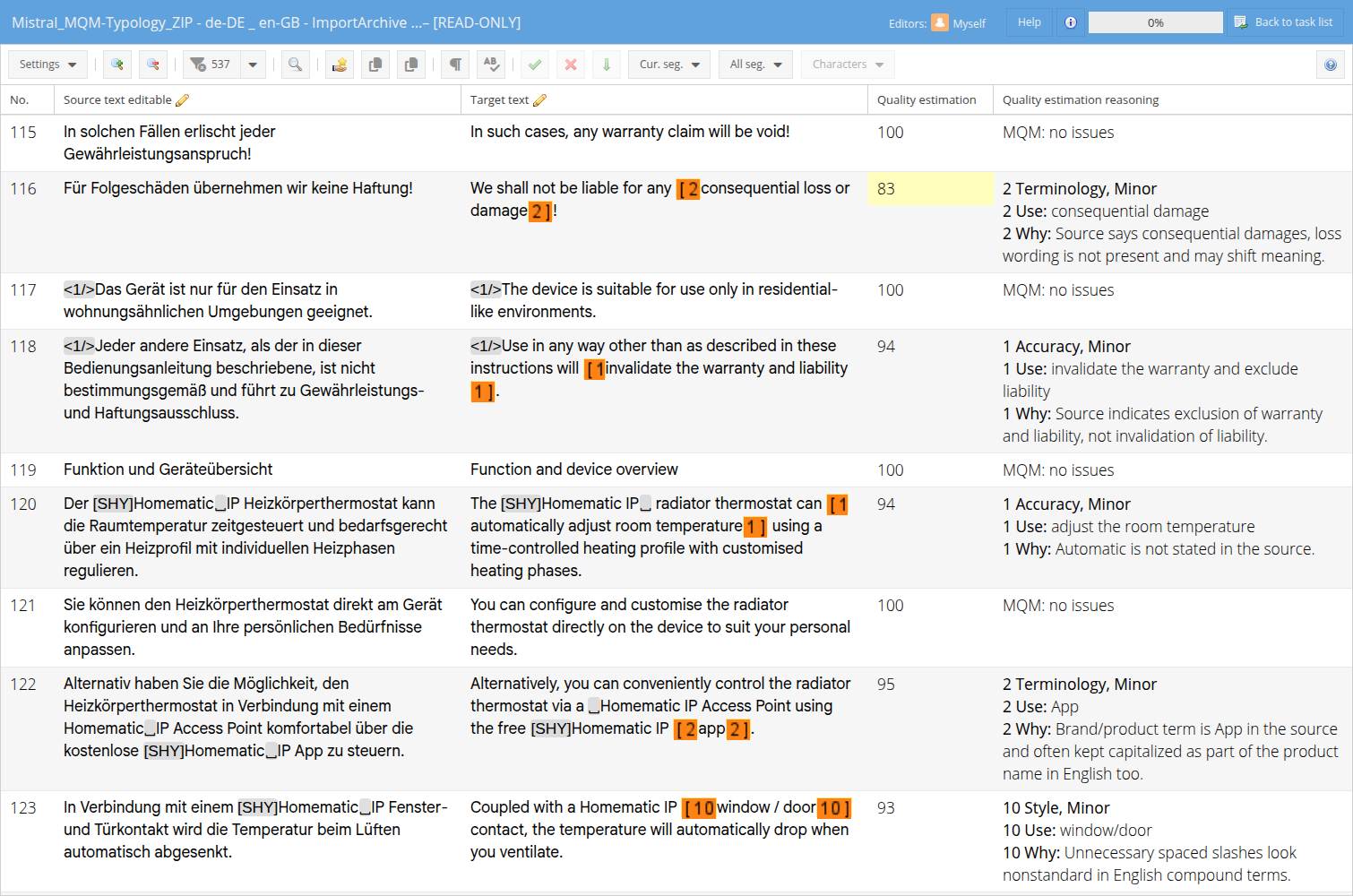
Quality estimation: the score of the segment from 0 to 100, coloured by quality.Quality estimation reasoning: one block per error, in the order the errors appear in the segment. The number at the start is the number on the MQM tag. Use is the correction the AI suggests (you can copy it from the column), Why is the reason. A segment without errors shows "MQM: no issues".Hover over an MQM tag to see the issue type, the severity and how the score of the segment was calculated: the number of issues, the penalty points, the number of words and the penalty points per issue. If the AI was not fully sure about an issue, its probability is shown as well (60% in the example).

When the segment content is changed after TQE (by editing, search and replace, repetitions and so on), the reasoning gets the line "Segment changed, LLM reasoning deprecated!" at the top. The old reasoning stays below it for reference. The line disappears with the next TQE run with the AI. It does not appear when TQE: segment check is active, because then the score is updated on every save.
The tab shows the date of the analysis, the overall TQE score of the task (the average of all segments, weighted by words) and how the words are distributed over the score ranges. You can switch between word-based and character-based counting.
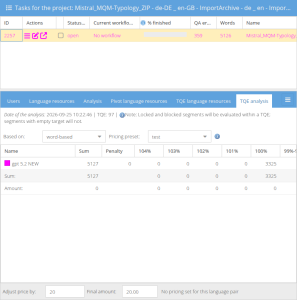
translate5 uses the scoring model of the official MQM scorecard (themqm.org):
score = (1 - penalty points / word count) x 100 (never below 0) |
Example from the screenshots above: segment 116 has 6 source words and one minor Terminology error (1 point). Score: (1 - 1 / 6) x 100 = 83.
Example with two errors: a segment with 20 source words has one minor Grammar error (1 point) and one major Mistranslation error (5 points). Penalty points: 6. Score: (1 - 6 / 20) x 100 = 70.
Not counted are:
The AI's probability never makes an error cheaper: a counted error always costs its full penalty points. The same errors therefore always give the same score.
Short segments are scored strictly. One minor error in a segment of 1 word gives 0, in a segment of 2 words 50. This is how the official MQM formula works. If this is too strict for your content, lower the multiplier of the minor severity in the scorecard. |
MQM tags placed by the AI are normal MQM tags. Reviewers handle them like manually placed ones:
Ignore errors of the Quality assurance panel, or right-click the error).The score then follows on the next save of the segment (if TQE: segment check is active) or when you click Re-calculate TQE score. Marking an error as false positive alone does not update the score; recalculate afterwards.
The issue types, their weights, the severity multipliers and the probability thresholds are defined in one XML, the MQM scorecard. You find it in the configuration under MQM issue types & scorecard XML (runtimeOptions.editor.qmFlagXmlContent, group Editor: QA). It contains the default scorecard of translate5, so you always see which values are in use.
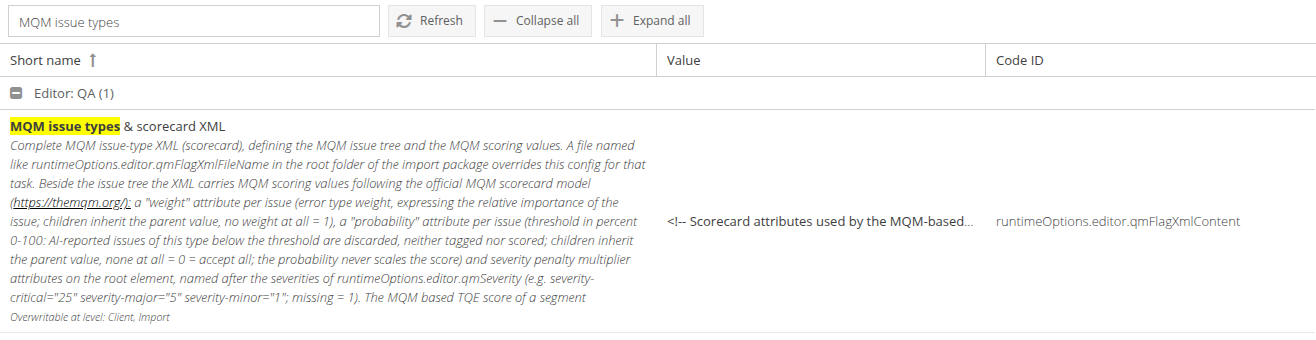
When you edit the value, the XML opens in an editor window. Invalid XML cannot be saved.
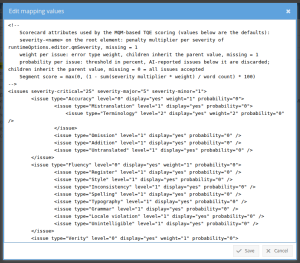
The configuration can be overridden per client (in the client's configuration) and per task at import.
Setting | Where in the XML | What it does | Default |
|---|---|---|---|
Severity multiplier | On the root element | Penalty points per error of this severity, multiplied with the weight. The severity names follow | critical 25, major 5, minor 1 |
Weight |
| How important this issue type is. | 1 |
Probability |
| Minimum confidence in percent (0 to 100). Errors the AI reports with a lower probability are dropped: not tagged and not counted. Sub-types inherit the value of their parent. | 0 (all errors are accepted) |
Example: Accuracy errors cost twice as much, and the AI must be at least 60% sure about them:
<issues severity-critical="25" severity-major="5" severity-minor="1"> <issue type="Accuracy" level="0" display="yes" weight="2" probability="60"> <issue type="Mistranslation" level="1" display="yes" weight="2" probability="60" /> </issue> </issues> |
At import, translate5 takes the first available source and copies it into the task:
QM_Subsegment_Issues.xml (exact, case-sensitive name) in the root folder of the import package. This file wins over the configuration for this task, and the task log notes that it was used. A file with a different name or in a subfolder is ignored, and the task log shows a warning.MQM issue types & scorecard XML, with its client and task import overrides. This is the normal case.client-specific/public/modules/editor/QM_Subsegment_Issues.xml on the server, otherwise the shipped file public/modules/editor/QM_Subsegment_Issues.xml.To test different values, change the scorecard and import a new task after each change. Existing tasks keep the scorecard they were imported with. |
Option (name in the UI) | Default | Can be set for | Description |
|---|---|---|---|
|
| system, client, task import |
|
| the default scorecard | system, client, task import | The MQM scorecard. Empty means the scorecard files on the server are used. |
| critical, major, minor | system | The severities of MQM tags. |
| active | system, client, task import | Must be active for MQM mode. |
| off | system, client, task import, task | Recalculates the score of a segment on every save. |
| active | system, client, task import, task | Sends the task terminology to the AI, so that correctly used terms are not marked as errors. |
| 5 colour steps up to 90 | system, client, task import, task | Background colours of the score column. |
Right (resource | Default roles | What it allows |
|---|---|---|
| pm, clientpm, pmlight, jobCoordinator | Start TQE or the score recalculation. |
| pm, clientpm, editor, pmlight, jobCoordinator | Assign and unassign the TQE resource of a task. |
| editor, jobCoordinator | List the available TQE resources. |
| pm, clientpm, pmlight, jobCoordinator | Show the TQE analysis of a task. |
The tab TQE language resources is not shown to job coordinators.
E1802: the scorecard of the task was taken from the file in the import package.E1803: the import package contains a file that looks like a scorecard but has the wrong name or is not in the root folder. It was ignored.E1797: a request to the AI was rejected, after automatic retries.E1798: some segments got no usable answer in a round; they are sent again.E1799: segments without a usable AI answer after all retries; they were scored without the AI.E1800: MQM mode is configured, but the task has no MQM issue types; classic mode was used.